Roll out to 1%. Watch. Ship. Free plan · No credit card required
JavaScript Java REST API
import { ReleaseAnchor } from "@release-anchor/js";
const client = new ReleaseAnchor({
apiKey: process.env.RA_API_KEY,
});
const enabled = await client.evaluate(
"new-checkout",
userId,
);
if (enabled) {
return newCheckoutFlow(req);
}
return legacyCheckoutFlow(req); // release-anchor v2.0 · REST API + JS SDK + Java SDK
01 Deploying isn't the problem. Losing control after is. You can't eliminate bugs before production. But you can reduce the blast radius — and stay in control of who gets affected, and when.
Ship to 1% first → 01
Ship code without fear
Merge to main anytime. Hide unfinished features behind a flag and enable them only when you're ready — in any environment.
02
Disable features instantly
When something breaks in production, flip a flag and it's gone in milliseconds. No hotfix, no rollback, no incident escalation.
03
Gradual rollouts
Roll out to 1%, 10%, 50% of users. Watch your metrics. Scale up when you're confident. Pull back if something looks wrong.
04
Separate deploy from release
Deploy code continuously. Release features deliberately. Decouple your deployment pipeline from your product decisions.
Without ReleaseAnchor
01
Deploy to production
All users get the new feature immediately.
02
Bug discovered in prod
Errors spike. Users impacted. Alerts fire.
03
Emergency rollback
A revert and redeploy burn hours of incident time.
04
Post-mortem
Engineering time pulled into cleanup, not shipping.
With ReleaseAnchor
01
Deploy behind a flag
Code ships safely. Feature stays off by default.
02
Enable for 5% of users
Roll out gradually, watch real-world behavior first.
03
Scale or kill instantly
Go to 100% or 0% — no redeployment needed.
04
Full rollout, full confidence
Every change recorded in the audit log.
Step
02 Everything it should do. docs → Environment isolation
· Each environment has fully independent flag state. No accidental cross-contamination.
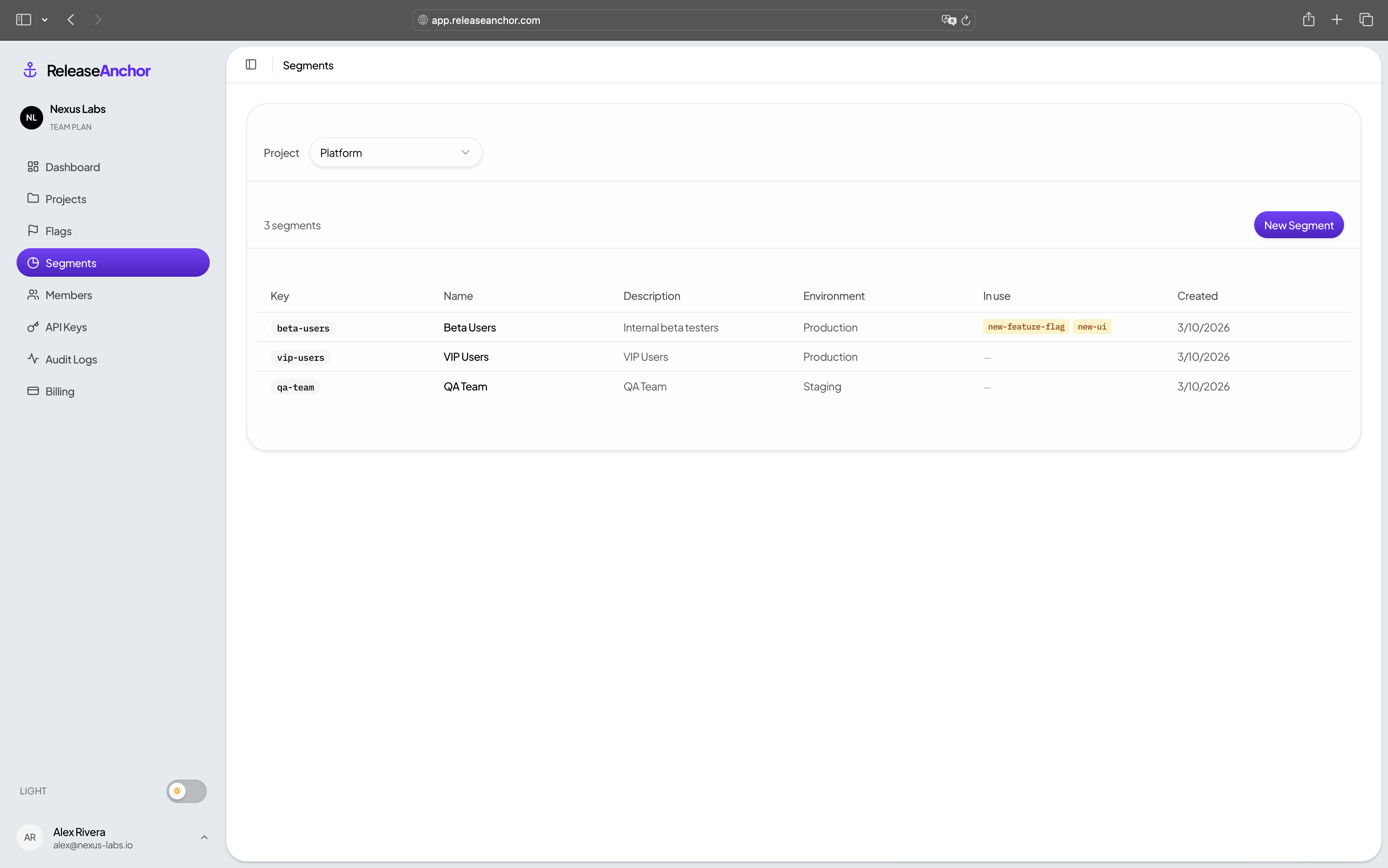
Segment targeting
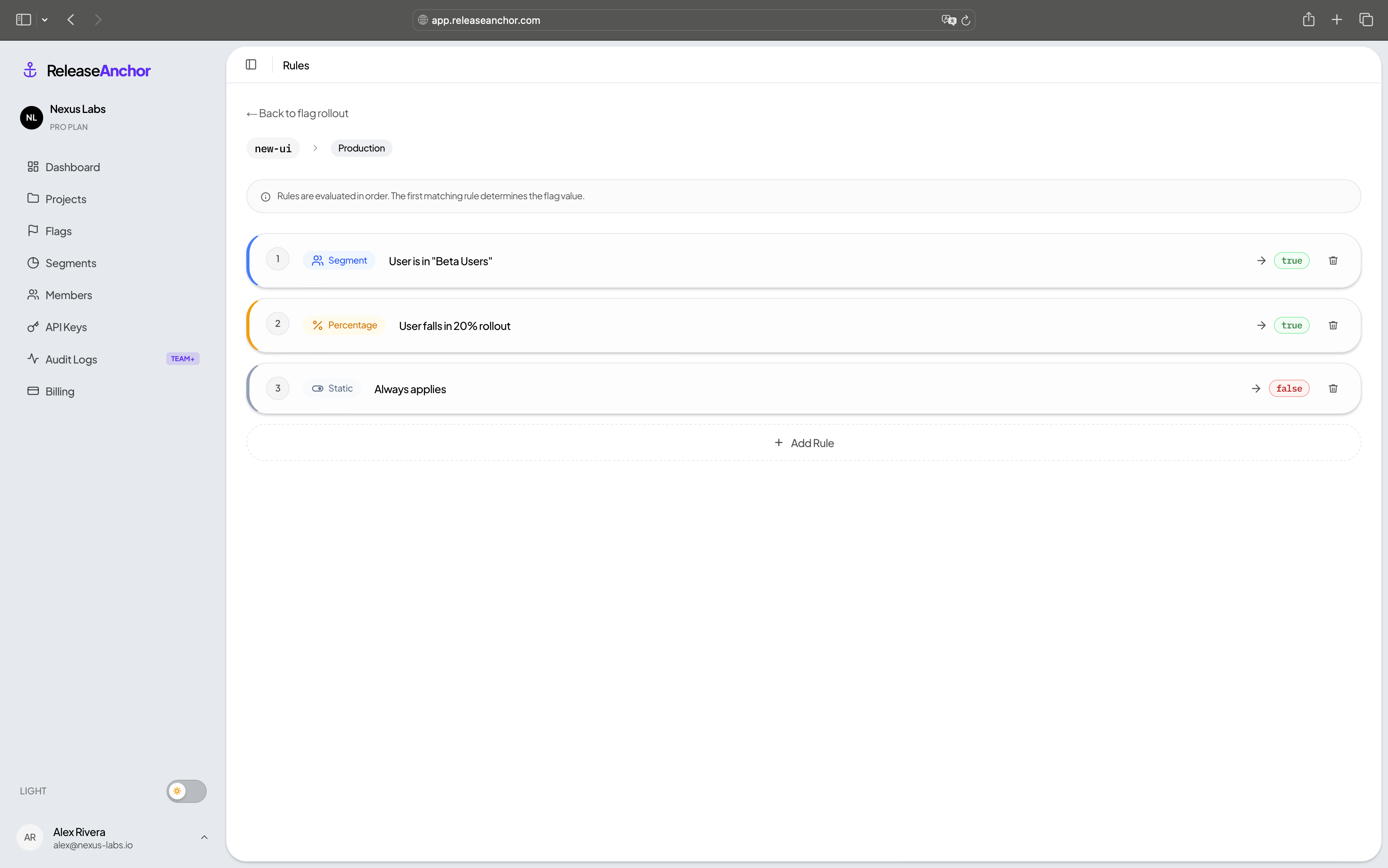
· Target named user groups — beta users, internal teams, enterprise accounts. Define once, reuse across any flag.
Gradual rollouts
· Roll to 1%, 10%, 50%, 100%. Stable and deterministic — the same user always gets the same result.
Kill switches
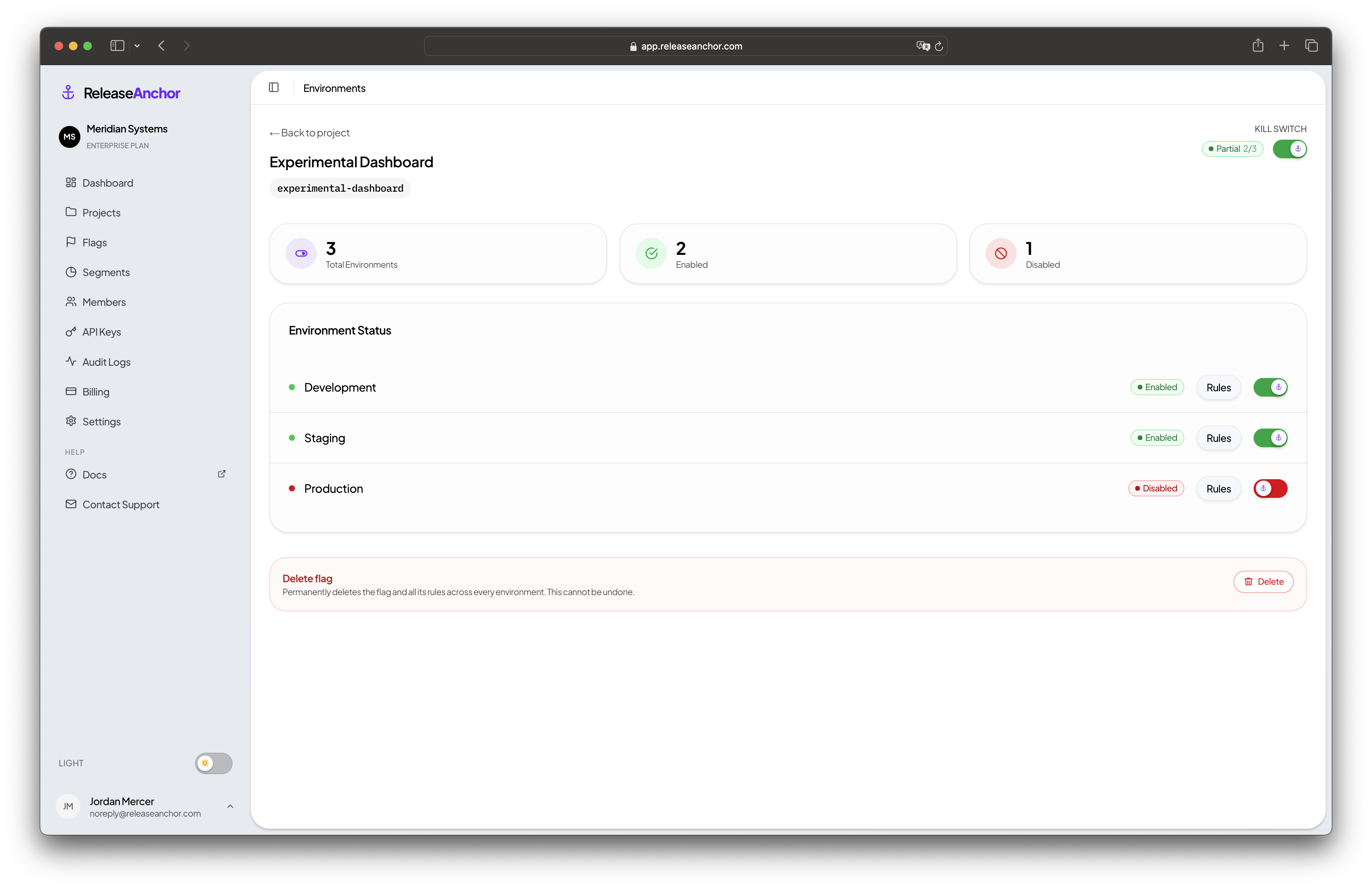
· Toggle a flag and the change takes effect on the next request. No redeploy, no rollback, no escalation.
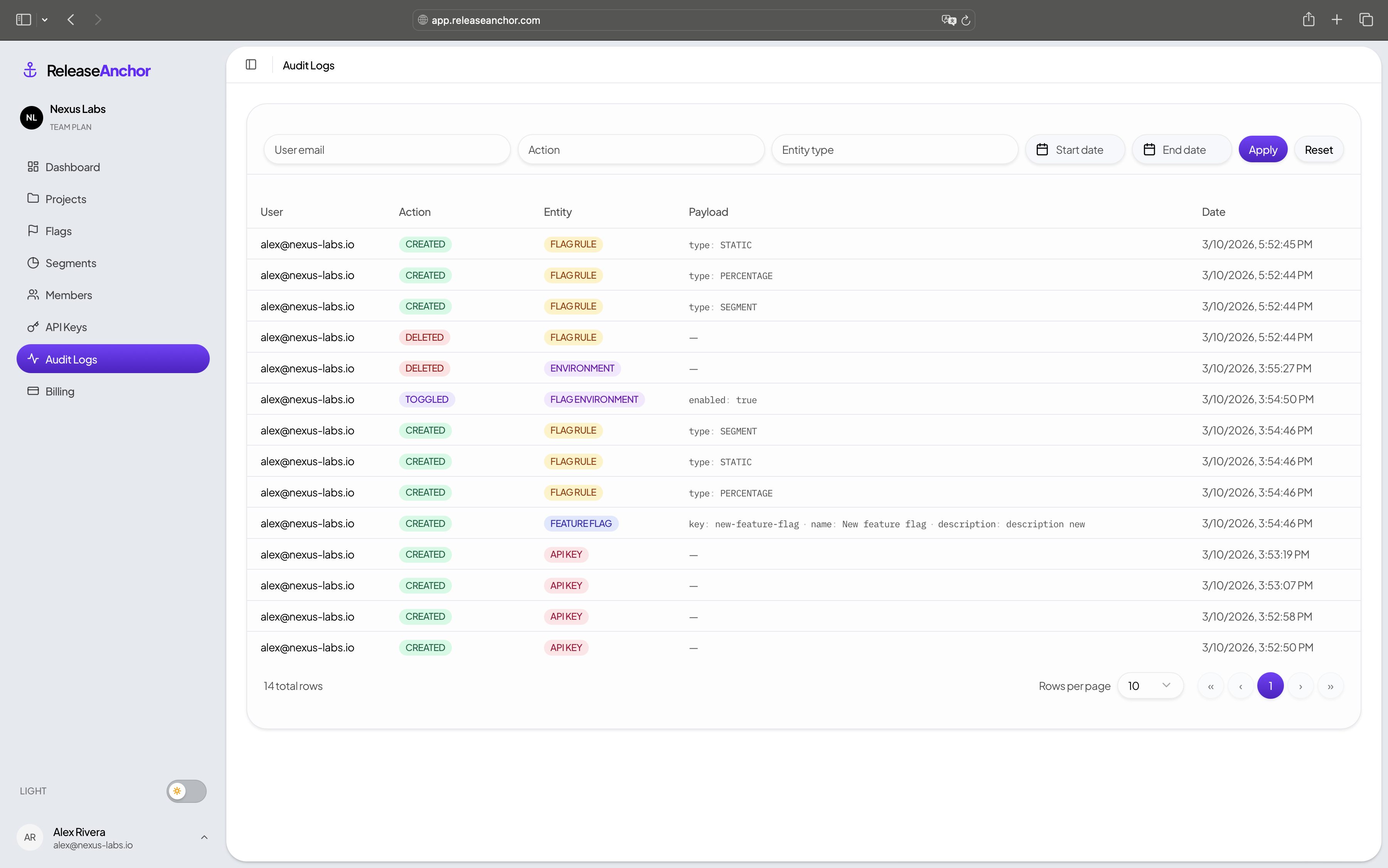
Audit logs
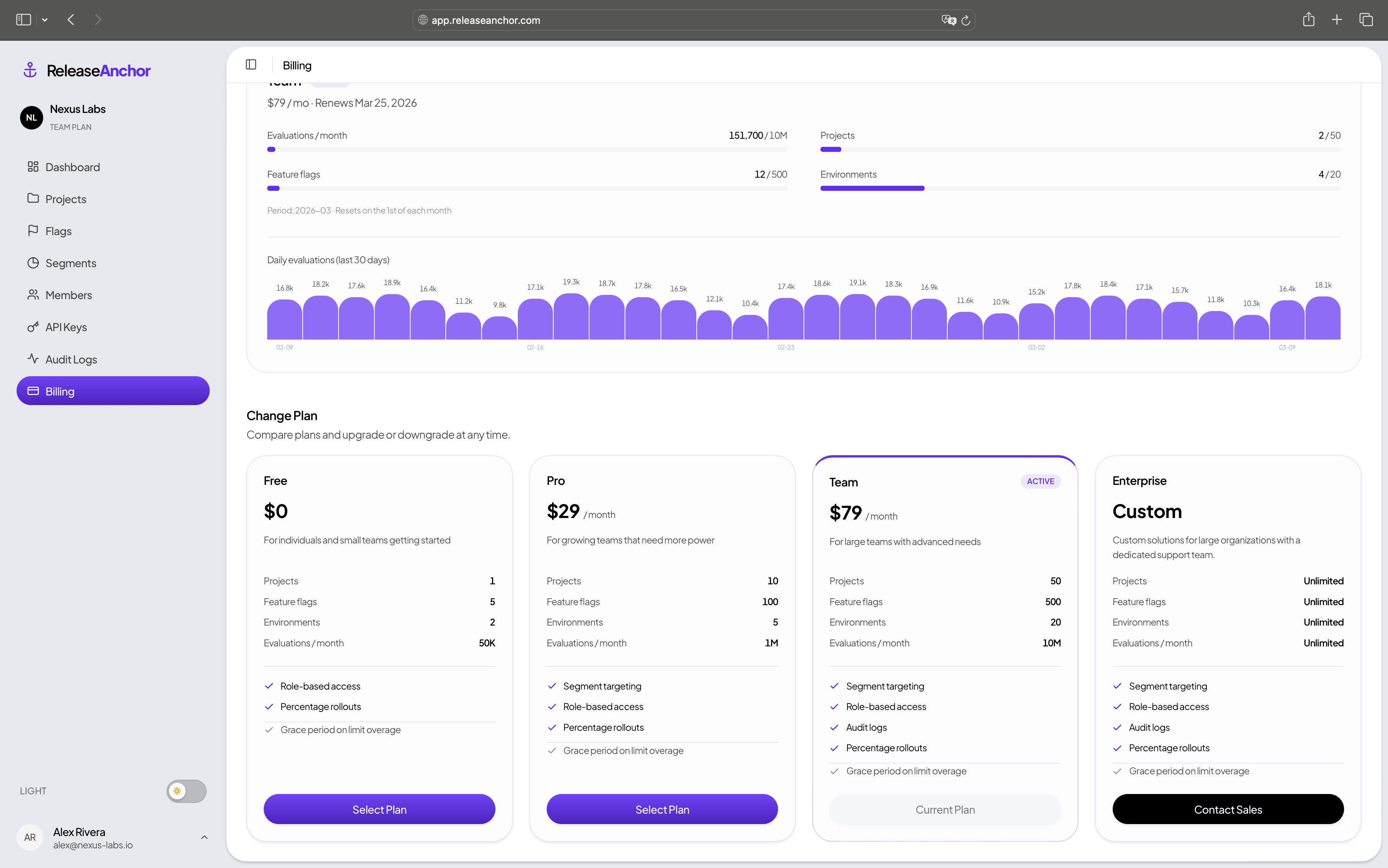
· Full change history — who updated which flag, when, and from what value. Available on Team and Enterprise.
SDK + REST API
· JavaScript and Java SDKs, or the REST API from any language. No agents, no YAML, no sidecar.
Fault tolerance
· If the API is unreachable, the SDK returns your configured default. Your app keeps running.
Real-time propagation
· Flag changes take effect on the very next evaluation call — no CDN cache, no polling delay.
03 Everything you need. A clean, fast interface built for engineers.
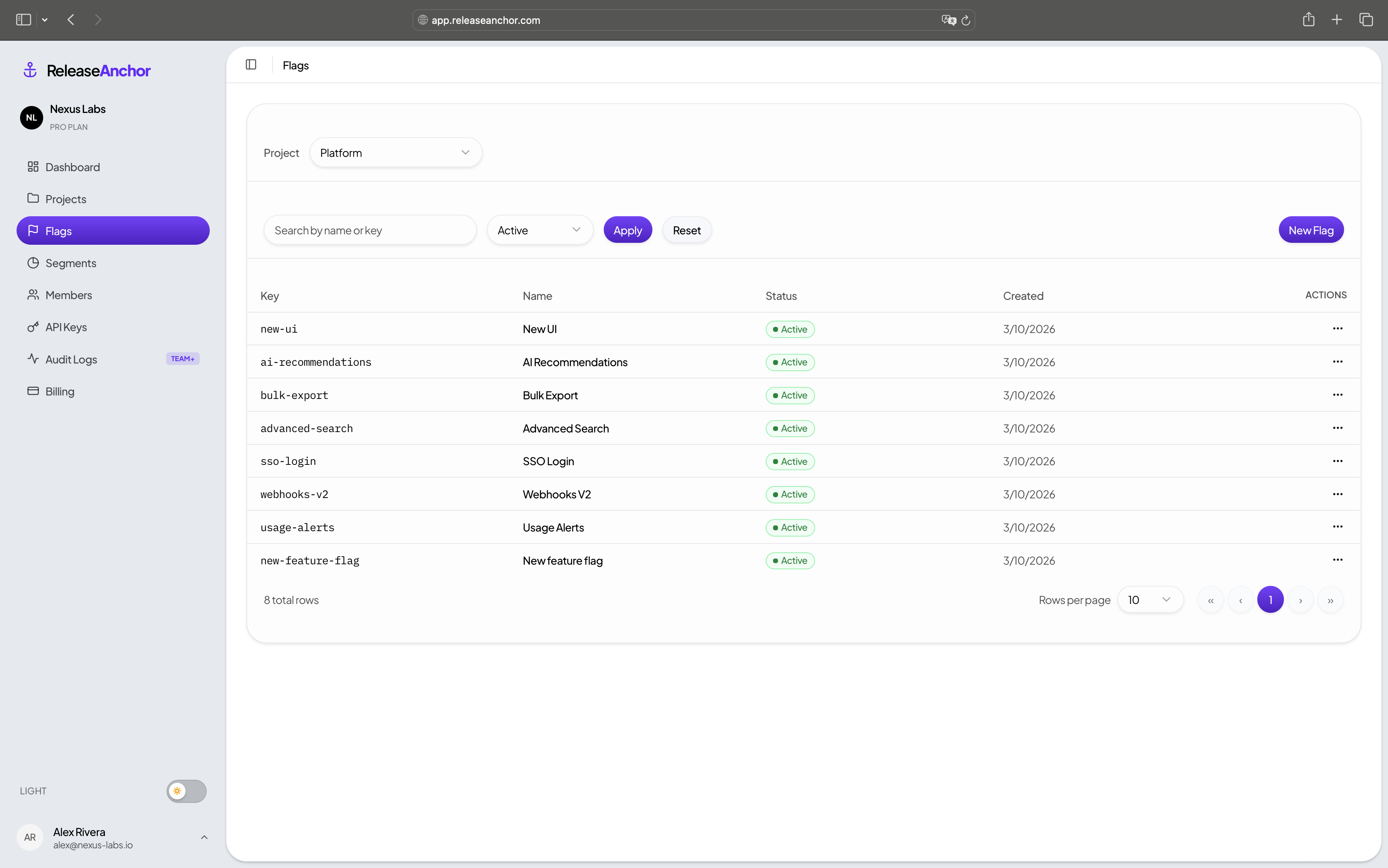
Feature flags
All your flags across projects, at a glance
Environments
Isolated flag state per environment
Targeting rules
Percentage rollouts, segments, and static defaults
Audit logs
Full change history — who did what and when
Segments
Define user groups once, reuse across any flag
Usage & billing
Real-time evaluation counters and plan comparison
04 Pricing. [monthly] · [yearly — save 20%]
FREE
$0
For individuals getting started with feature flags.
→ Start free PRO
$29 /mo
For growing engineering teams shipping more frequently.
→ Buy now TEAM
$79 /mo
For teams that need more scale and full audit visibility.
→ Buy now ENTERPRISE
Custom
Compliance, security, SLAs, and dedicated support.
→ Contact sales 05
Answers. Do I need a credit card to get started? + No. The Free plan requires no credit card. Create an account, set up flags, and start evaluating immediately.
What happens when I hit my monthly evaluation limit? + You don't get cut off immediately. A grace period activates and evaluations keep running normally. You'll receive an email with time to upgrade.
Can I upgrade, downgrade, or cancel anytime? + Yes to all three. Upgrades take effect immediately, downgrades at the end of the billing period. No cancellation fees, no locked-in contracts.
How fast does a flag change reach production? + On the very next evaluation call — typically within milliseconds. There is no CDN cache or polling interval. The moment you toggle a flag, the next API call returns the new value.
Are evaluations fault-tolerant? + Yes. If an evaluation call fails, the SDK returns the default value. Your app keeps running. The SDK also caches the last known state so short network interruptions don't affect active users.
Do environments share flag state? + Never. Each environment has completely isolated state. Enabling a flag in staging has zero effect on production.
Ship with confidence. Start free · No credit card · 5 min setup
Feature flags for teams that ship fast and break nothing.
© 2026 Release Anchor · All rights reserved